
Help & Support
For those who prefer to read:
Many of Full Scope's features have helpful guides and information built in so that you can get started with them quickly.
But if you ever find yourself confused or in need of a more thorough assistance, there are several options available to you.
Before we start showing you around, we want to make sure you know where you can learn more and how to reach out for help should you need it.
Our Knowledge Base
We have a vast and always-growing library of articles that can help you set up and use the many features you have available to you on the Full Scope platform.
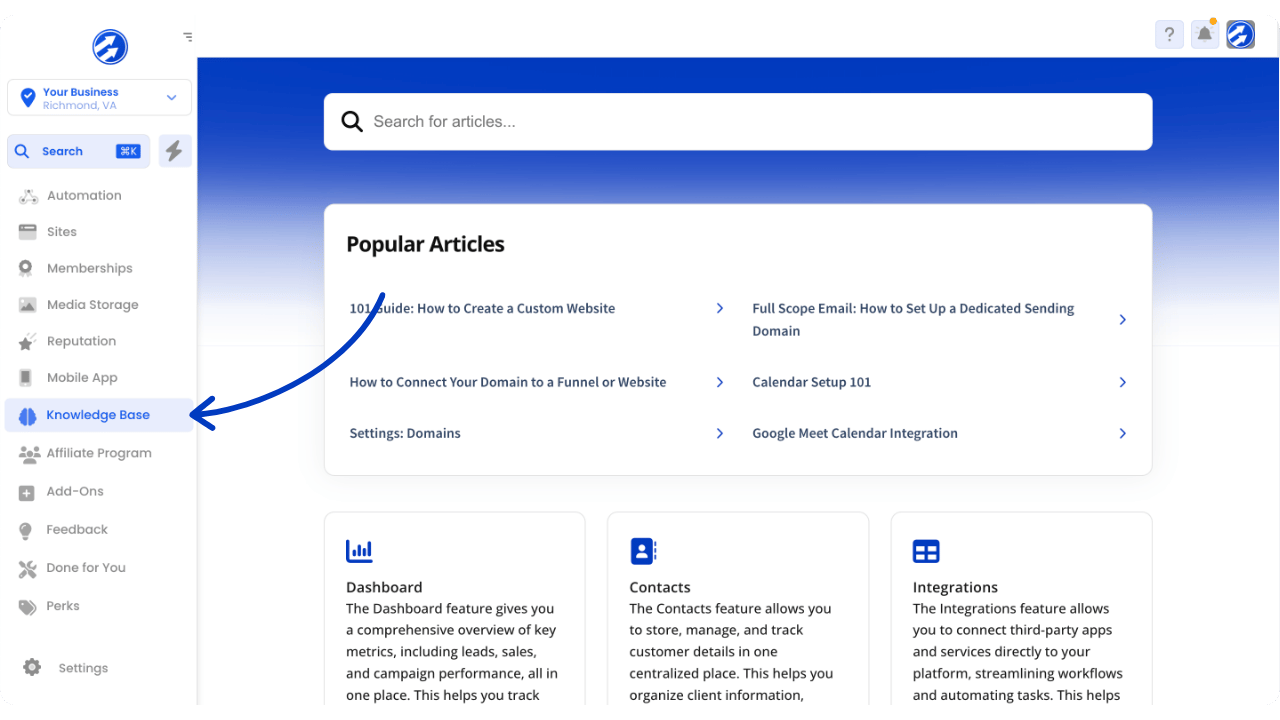
To access them, you can either navigate to the "Knowledge Base" in the account menu...
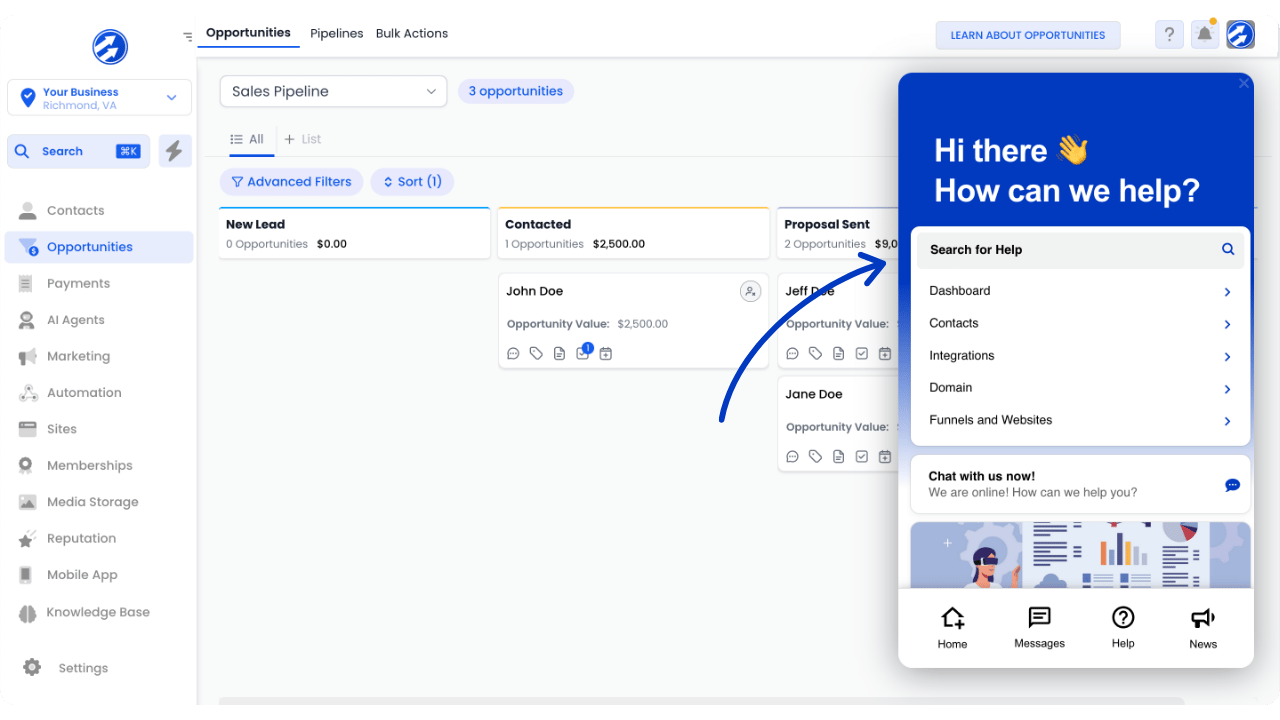
...or you can access them via our support widget.
Just click the question mark icon on the top right corner of your account screen:
Product Tours
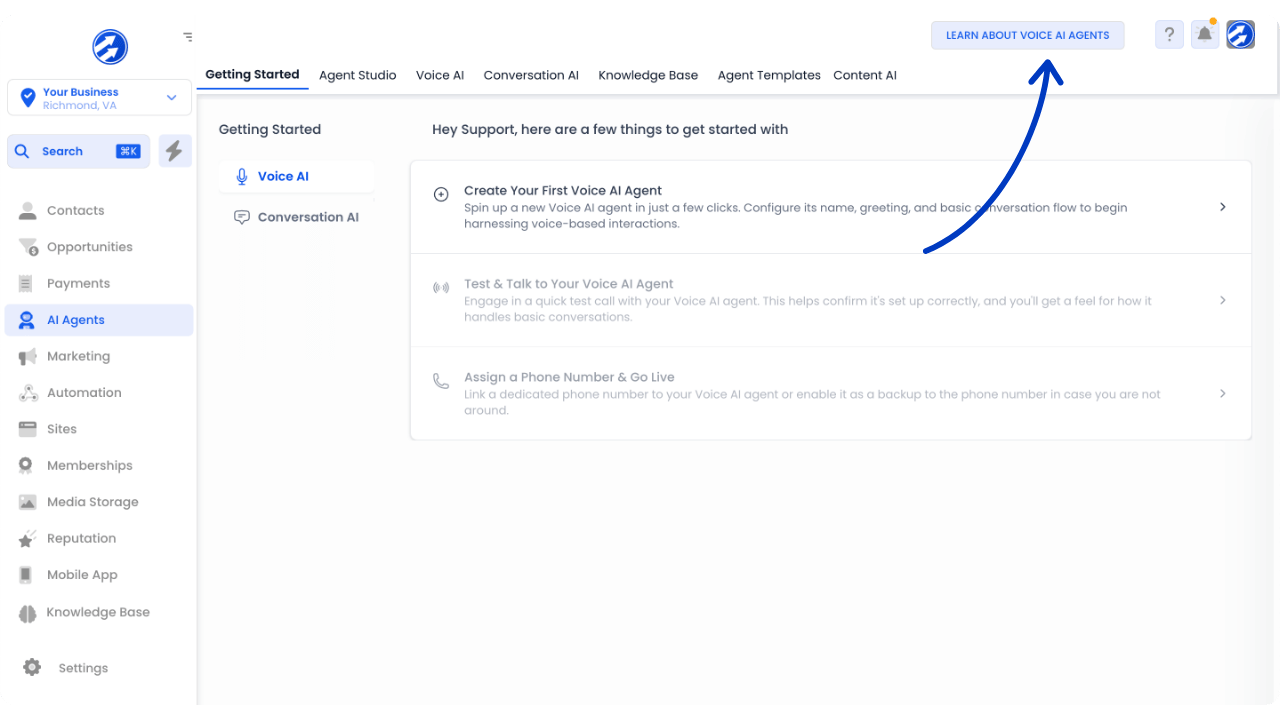
If you want to learn generally about the different tools available to you in your account, you can click on "Learn About..." button on the top right of each individual page.
This will give you a quick introduction to that feature via a guided tour.
Live Support
Click on the "Chat with us now!" button in the support widget.
By default, the first answer to your questions will come from our AI Support Bot. It's great at answering common questions and guiding you through simple aspects of the platform.
If at any time you don't believe the bot quite understands how to best help you, simply type "human" to be connected directly with one of our customer support technicians.
Our bot as well as our support team are online 24/7 and ready to help!
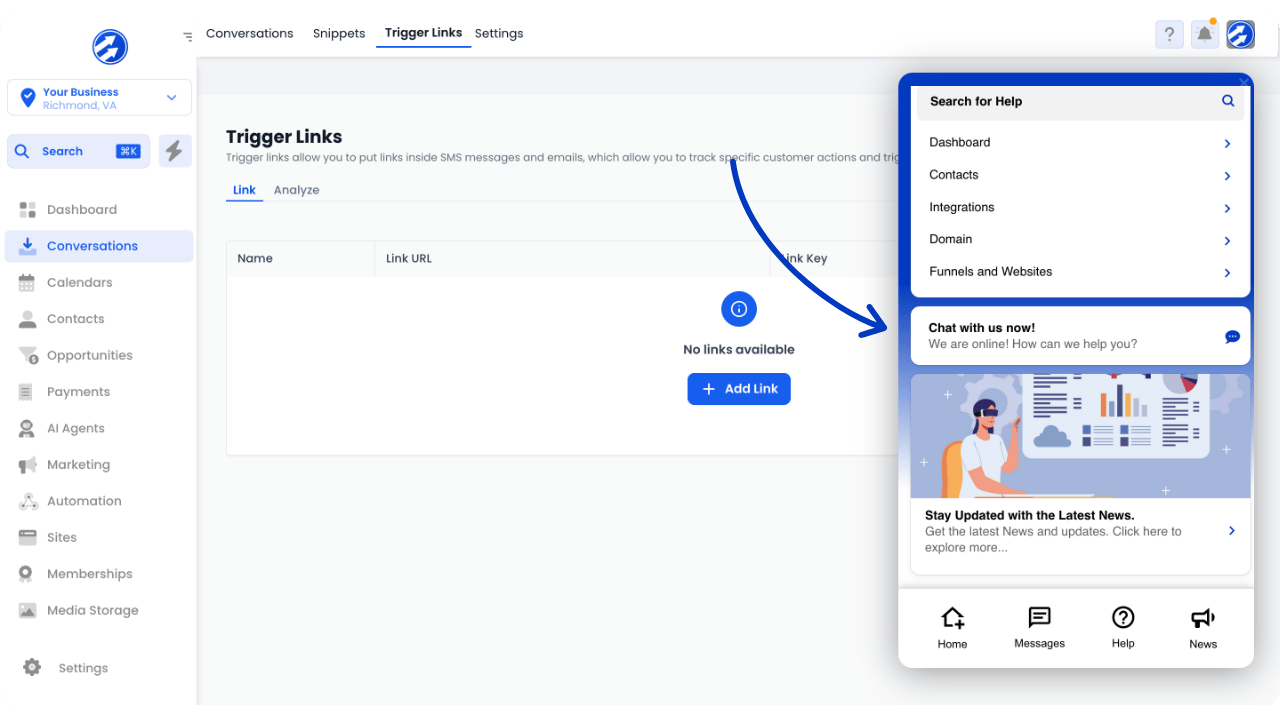
Here, you can get one-on-one help with your questions.
If our technicians can't immediately solve your issues, they will be escalated to a specialist.
Our support team is online 24/7 and ready to assist you!
© Copyright 2026 | Full Scope | All rights reserved
© Copyright 2026
Full Scope
All rights reserved