Integrating an All-in-One Business Tool Seamlessly
For small business owners, freelancers, and solopreneurs trying to juggle multiple software platforms, keeping everything running smoothly can be a major challenge. It often feels overwhelming to manage customer relationships, streamline emails, update social media, and stay on top of payments. This is where an all-in-one business tool can make a big difference. By consolidating these various functions into one system, we can simplify operations and boost efficiency. The good news is integrating this all-in-one business tool into our daily workflows is typically straightforward and saves us from the hassle of managing too many software subscriptions.
Understanding the Benefits of an All-in-One Business Tool
An all-in-one business tool offers several advantages by bringing essential functions under one roof. Instead of handling different platforms for each task such as CRM, email marketing, or payment processing, we get to use just one tool. This helps reduce the time spent switching from one app to another and cuts down on the costs associated with multiple subscriptions. Another benefit is the reduction in errors that can occur when juggling different systems. By using an integrated platform, we can coordinate more effectively, making our day-to-day operations smoother.
Running a business becomes more manageable with everything streamlined in one place. The tool encourages improved communication within teams since there is only one system everyone needs to learn. This means less confusion about where to find the information and what needs to be done next. We can focus more energy on growing our businesses and less on administrative tasks that eat up valuable time.
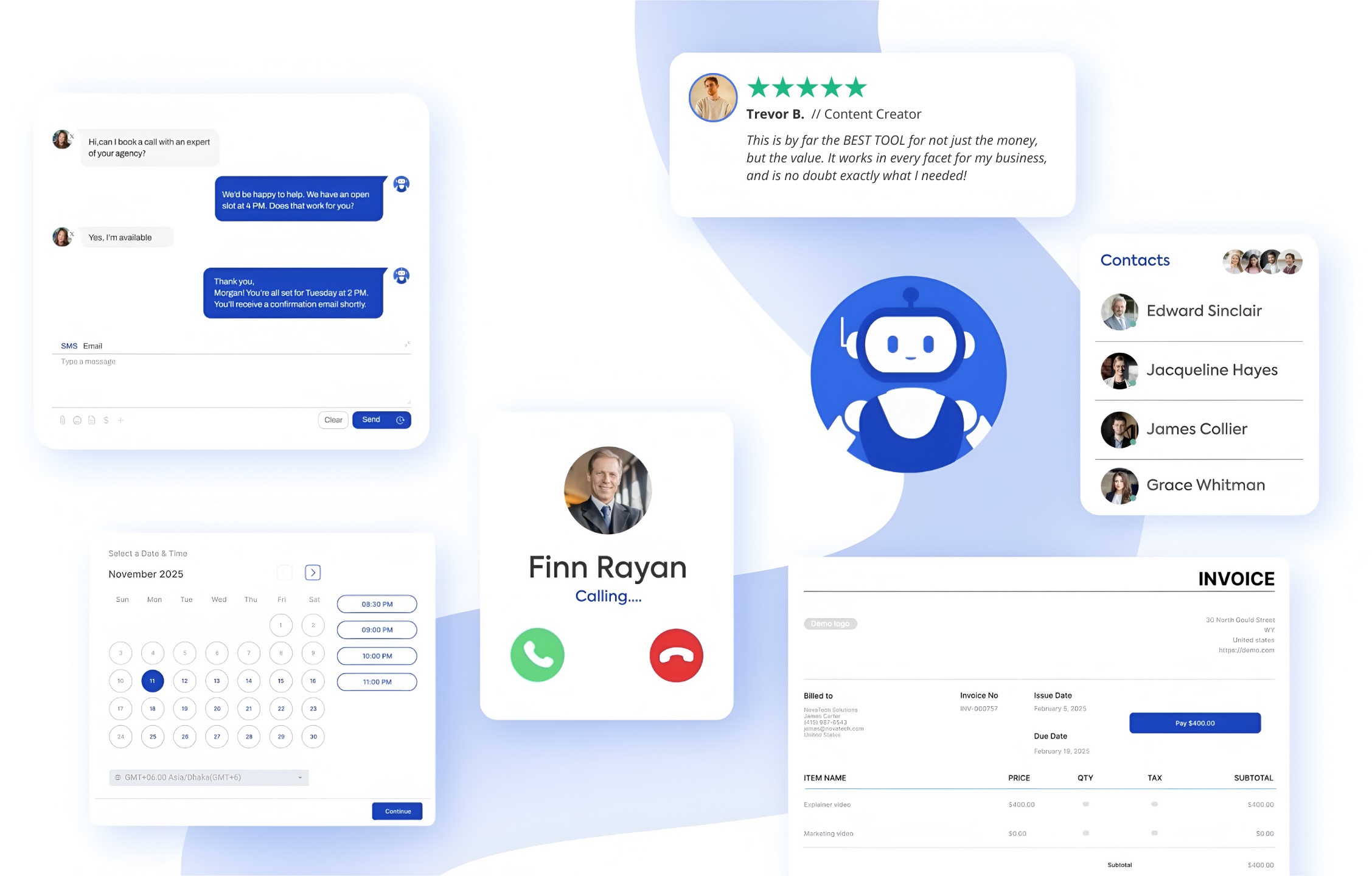
On the Full Scope platform, you get CRM, website builder, online storefront, appointment scheduling, email campaigns, payment processing, and social media tools, everything you need to manage your business in one subscription. There are no per-user upgrade charges and no plug-ins or coding required.
Preparing for Seamless Integration
Before starting integration, it is helpful to evaluate our current processes and pinpoint which areas will benefit most from change. Begin by listing all systems currently in use and identifying overlaps or gaps in functionality. Understanding which features are being underutilized can inform the transition to an all-in-one business tool.
Planning the integration process can reduce any disruption to daily operations. Start with a clear plan outlining the steps needed for a smooth transition. Communicate these steps to everyone involved and make sure they understand the changes. It is a good idea to choose a time for integration when business activities are slower to avoid additional pressure.
We also need to check that the new tool is user-friendly and requires minimal training. The easier it is to learn, the quicker teams can adapt and begin using the new system. Offering initial training sessions can build confidence among users and help them embrace the new platform.
Full Scope provides onboarding documentation and customer support so teams can start with step-by-step setup guides and self-service resources. Making sure employees feel comfortable with the platform from the beginning helps set the stage for a successful transition. As your team grows more familiar with the interface, confidence and adoption build naturally, reducing friction and helping your business get maximum value from the investment in an all-in-one solution.
Step-by-Step Guide to Integrating an All-in-One Business Tool
The integration process typically begins with setting up the tool and customizing it to fit our specific needs.
Enter company information and define user access levels.
Move into data migration, taking care to avoid data loss. Create backups of existing data before starting the migration.
Once data is transferred, test the tool’s functionalities.
Adjust any settings to better fit business operations and confirm that everything works as expected.
Encourage feedback from the team to identify any unexpected issues and address them promptly.
Continuously monitor the effectiveness of the new system. After settling in, conduct periodic reviews to assess the tool's impact on workflow and highlight areas for improvement. Make incremental adjustments based on these insights to keep the system valuable for business needs.
On Full Scope, you can migrate customer, lead, or calendar data, connect email and social media accounts, and immediately access analytics for a unified dashboard. Settings can be updated without technical support. The result is a transition where your entire team can participate, ensuring nothing critical is missed and daily work continues with minimal disruption.
While the setup phase is important, long-term adoption requires ongoing attention. Team check-ins and refresher training sessions help staff keep up with the latest features and best practices. When everyone is on board and feels competent with the platform, your business will benefit from higher efficiency and more accurate data across every function.
Overcoming Common Integration Challenges
It is common to encounter challenges such as compatibility problems or resistance to change when introducing new systems. Clear communication is key to addressing these issues. Keeping everyone informed about what the tool does and why it is being implemented can help ease concerns and promote a positive view.
To address resistance, investing time in proper training can help. More hands-on support makes the transition easier and staff more confident in their roles. Encourage open communication for questions and feedback, creating a supportive environment that adapts to new processes quickly.
Many businesses have implemented all-in-one tools and benefited from improved efficiency. Learning about others’ experiences can serve as motivation and show that successful integration is achievable. When people can see the real benefits, such as faster turnaround on projects, reduced manual reporting, and clearer customer communication, they are more inclined to embrace the change. Management can also help by modeling use of the platform and recognizing team successes in the new system.
Overcoming technical issues sometimes requires adjusting procedures or seeking additional guidance from customer support resources. If a process does not work as expected, documenting the steps and sharing them with support staff can accelerate resolution. The path to successful integration is smoother with patience and a collaborative approach.
Reaping the Rewards of System Integration
The advantages of integrating an all-in-one business tool are clear. Operations become smoother and more coordinated so we can focus on growing the business. Over time, this leads to increased productivity as there is less need to learn multiple systems. Streamlined processes allow businesses to approach new challenges more easily.
Looking at the big picture, switching to an integrated tool adds flexibility in a competitive marketplace. With each function combined, daily operations become simpler, leaving more room for strategic planning and innovation. This transformation is about achieving efficiency and preparing the business for growth in a changing environment.
An integrated business platform not only organizes operations but also supports scalability as your company develops. By unifying information and automating repetitive activities, you build a strong foundation that can handle more clients, larger projects, and an expanded product range. The simplicity and clarity that come from using one tool let each team member concentrate on their highest priorities and creative work.
As staff adapt to the new system, confidence grows, and so does your ability to tackle evolving market demands. Businesses with unified tools find it easier to identify opportunities for improvement and rapid innovation. The long-term payoff is greater capacity for growth, resilience during transitions, and an organizational culture that values simplicity and agility.
Transforming your business operations is easier than ever with the right tools in place. An all-in-one business tool can streamline your workflow and remove the hassle of managing multiple apps. At Full Scope, we know that efficiency and simplicity are important for success in today’s fast-paced world. By bringing key functions into one platform, we help you direct your attention to what matters most: growing your business. Ready to move forward? Contact us to learn how Full Scope can support your plans.